LIVE STATUSInstead of just saying “running”,
Instead of just saying “running”,
it shows you what it's doing.
AccountingSQL Server 2022
Encrypting84%3.9 GB / 4.8 GB
DumpZIPKLD2UploadCommit
A professional Windows service that backs up SQL Server databases and company folders to the cloud independently of the user session. As long as the computer is on, Kladim watches over your data.
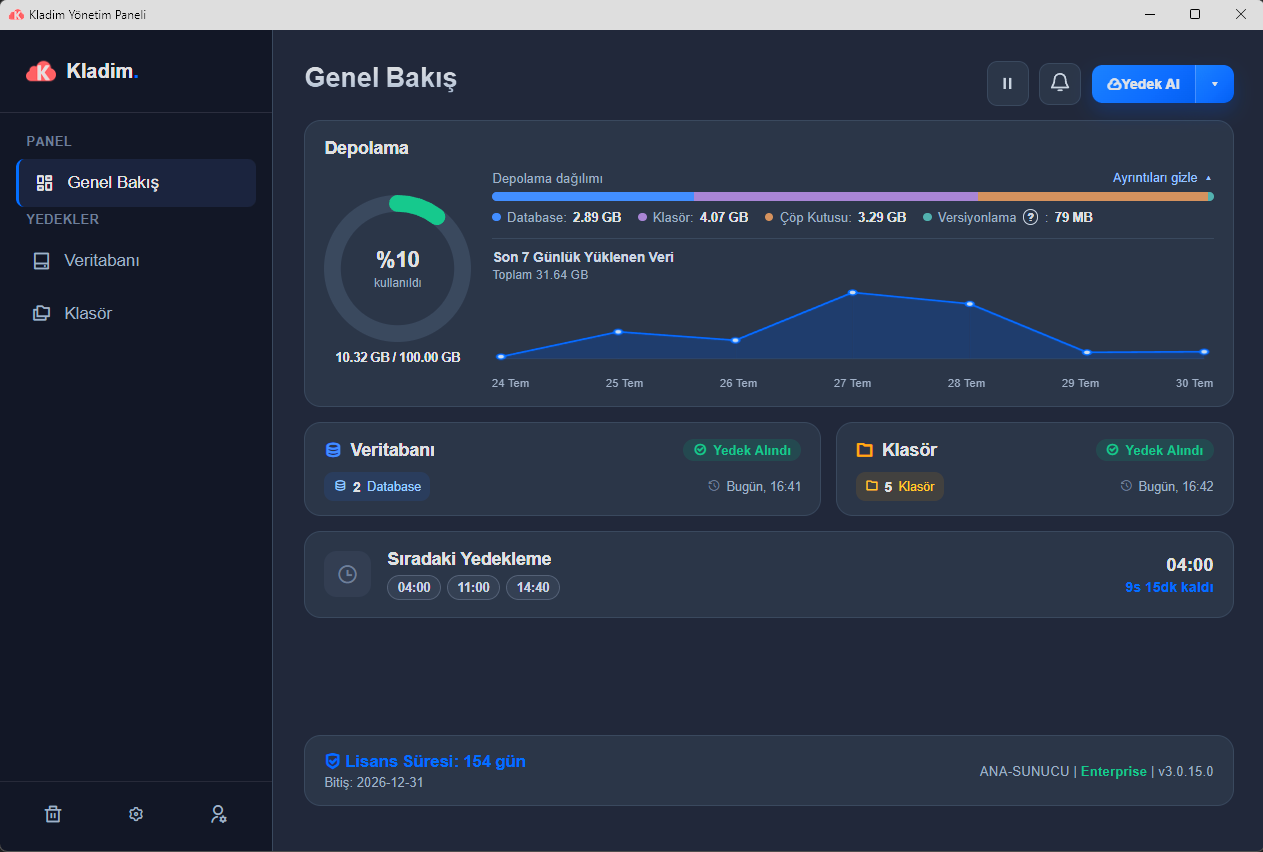
Last successful backup 2 minutes ago
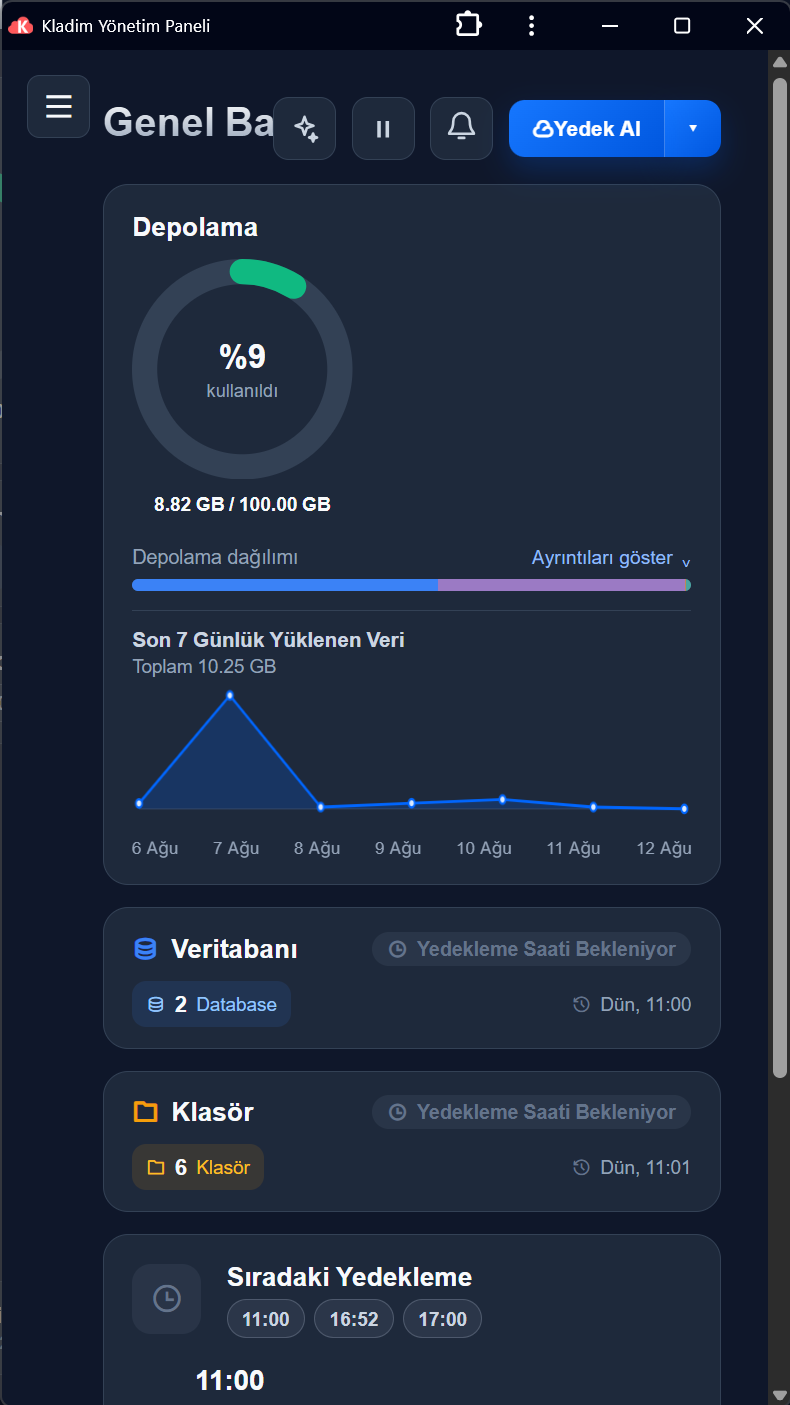
Critical work runs in the background as a Windows Service. The backup engine keeps working when a user signs out, RDP closes or the screen is locked.
Kladim's distinctive capabilities are now visible one by one. Tap a card to discover the idea behind the technology, the benefit to you and how it works.
The backup engine is separate from the interface and runs as a Windows Service. Scheduled protection continues even if no user is signed in, the RDP connection closes, or the screen is locked.
If the scheduled time is missed while the computer is off, SmartSchedule™ evaluates the day and the last successful backup. It makes a safe catch-up run instead of needlessly stacking up old jobs.
The encrypted file is split into secure chunks and the status of each chunk is recorded. After an interruption, the completed chunks are learned from the server, and only the missing data is sent.
KLD2 Shield™ combines key derivation, data encryption, integrity verification and a file digest into a single protection format.
DeltaSense™ compares the folder structure with its previous state. Only new or changed files are processed, cutting down on unnecessary encryption and data transfer.
Unusual patterns, such as a large number of files being deleted or changed at once, are evaluated. Suspicious activity can be routed into a review flow to keep healthy versions protected.
The service streams its progress and status live to the local interface. If the connection drops briefly, the interface reconnects and fetches the current status from the service again.
SafeRestore™ brings the current folder structure from the cloud into a new, unique local destination without touching your existing files. Before starting, it verifies the destination path, write access and free space.
Kladim turns every stage into a flow you can understand. You see what's being done, how much is left and what the result is, at a glance.
It evaluates a plan missed while the computer was off right at startup, balancing protection without producing needless repeats.
Successful, partially successful, or situations that need attention are shown with their real scope.
4 sources protectedBackup completed successfully
03:421 source needs reviewThe other 7 sources continued to be protected
08:16Connection re-establishedUpload continues where it left off
NowEnterprise databases and critical folders come together in the same protection flow.
The biggest fear in data loss isn't only losing the file: it's returning to the wrong date, overwriting a live folder, or having to restart an interrupted job from scratch. Kladim makes going back visible, controlled and verifiable.
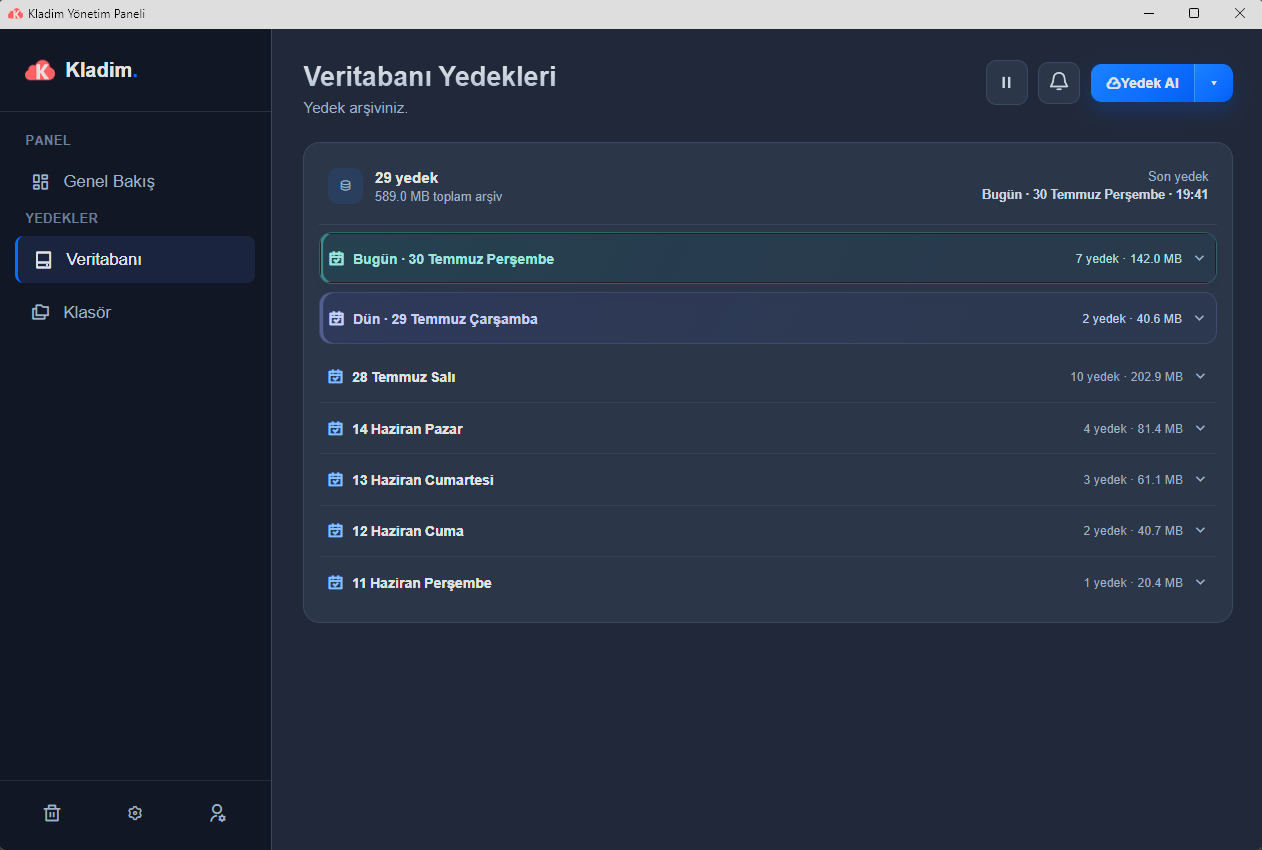
Database backups are grouped by day. The last backup, the total archive, date, time, size and source information are all visible at a glance. Find the point you need and download the backup file that matches your engine.
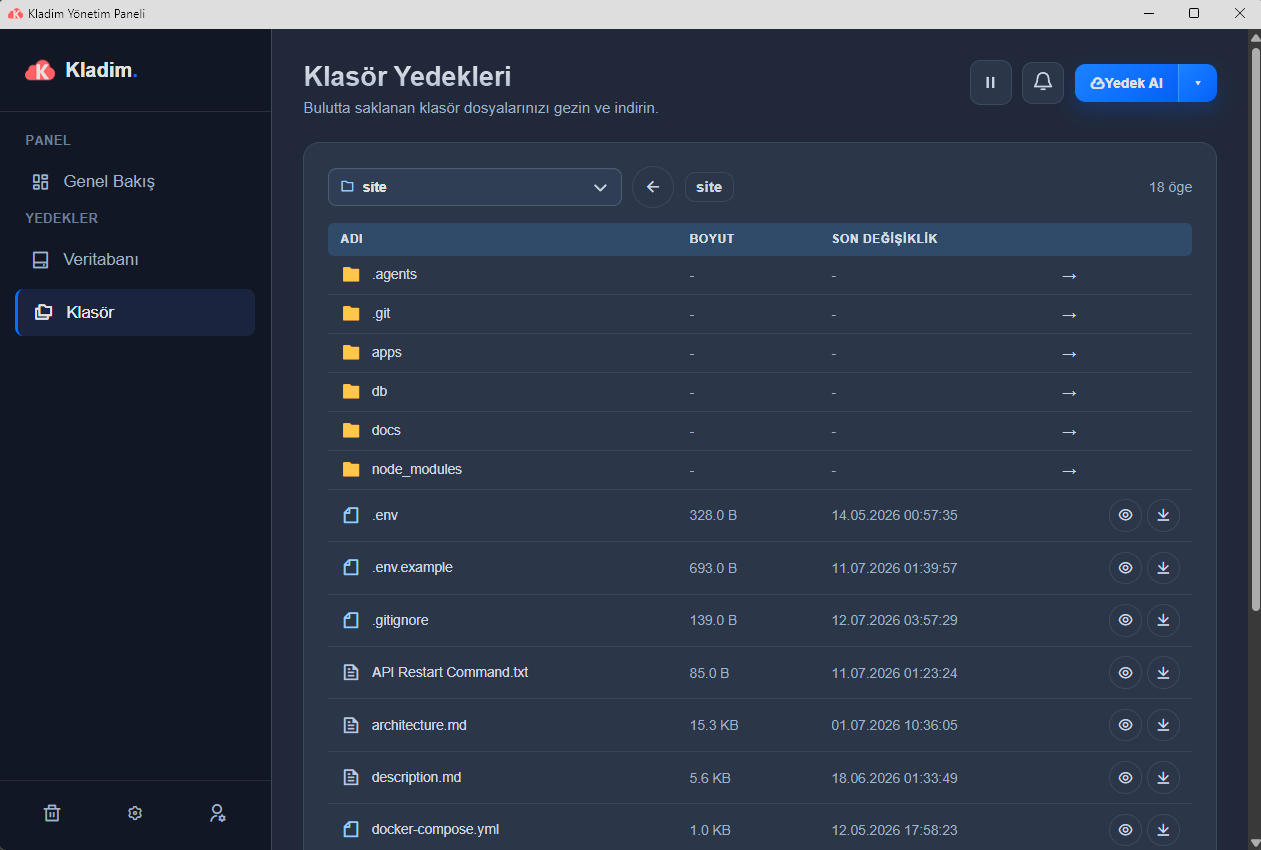
The current folder structure from the cloud will be restored to the new, empty destination below.
Just choose the folder to restore and the parent destination. Kladim creates a unique subfolder and won't start if a destination already exists. It downloads files to a temporary part, verifies their integrity, and only then turns them into visible files.
For safety, the restore won't start if the destination name already exists.
Total data and available disk space are compared before starting.
A file isn't counted as complete until its size and integrity information are checked.
Recovery is one-way; the backup archive in the cloud is never touched.
Checkpoints let it resume from files that have already been verified.
Starting and resuming are tied to a 2FA code verified on the server.
Folder restore brings the current folder view from the cloud into a new local destination. This flow is not a previous-version, recycle-bin, or select-file restore — it is a full, up-to-date disaster-recovery copy that never changes your existing folder.
Large backups are split into secure chunks. If the internet drops, the completed gigabytes are preserved; once the connection returns, only the missing chunks are sent.
Key derivation, encryption, integrity verification and random security data all come together in a single protection format.
Critical local information is stored using Windows' protected data mechanisms.
The protection flow in the local application integrates with the end-user and partner interfaces.
Manage your backups, download them, change schedules and start backups remotely.
Explore Cloud →Monitor your customer fleet, send commands and manage your white-label brand.
Open Partner ↗Discover Türkiye's homegrown digital fortress with Cloud, Partner and Transfer.
See all products →Discover the Kladim application on Microsoft Store, or first try the interactive demo built with real interface flows.
MOBILE KONTROL İÇİNKladim Cloud · Google PlayResmî paket: com.kladim.cloud
 Phoneunuzla okutun↗
 PROTECTION ENGINE


