Custom format
PostgreSQL yedeği düz bir dosya kopyası yerine pg_dump custom-format outputsı olarak hazırlanır.
Kladim prepares PostgreSQL backups with pg_dump in custom format. The goal isn't just to archive data — it's to create defined, traceable restore points suited to the restore process.
 PostgreSQL
pg_dump custom format
PostgreSQL
pg_dump custom format
 KLD2 protectionPostgreSQL archive → KLD2✓
The pg_dump custom format creates an archive suited to working with PostgreSQL's own restore tools. Kladim combines this output with encrypted, traceable cloud upload.
PostgreSQL yedeği düz bir dosya kopyası yerine pg_dump custom-format outputsı olarak hazırlanır.
Credentials are passed through the process environment instead of being left as a visible argument in the external tool call.
Backup history makes it easy to review restore points from different dates on a single timeline.
Each stage becomes a backup experience that tells you what it's doing and keeps the result visible.
Define the source and choose the databases to bring under protection.
pg_dump prepares custom format output compatible with restore tools.
The archive is encrypted, integrity data is generated, and the transfer session is prepared.
The completed backup becomes visible in history with its date and result.
See restore points from different dates, identify the archive you need, and access restore-ready output.
Try this flow in the demo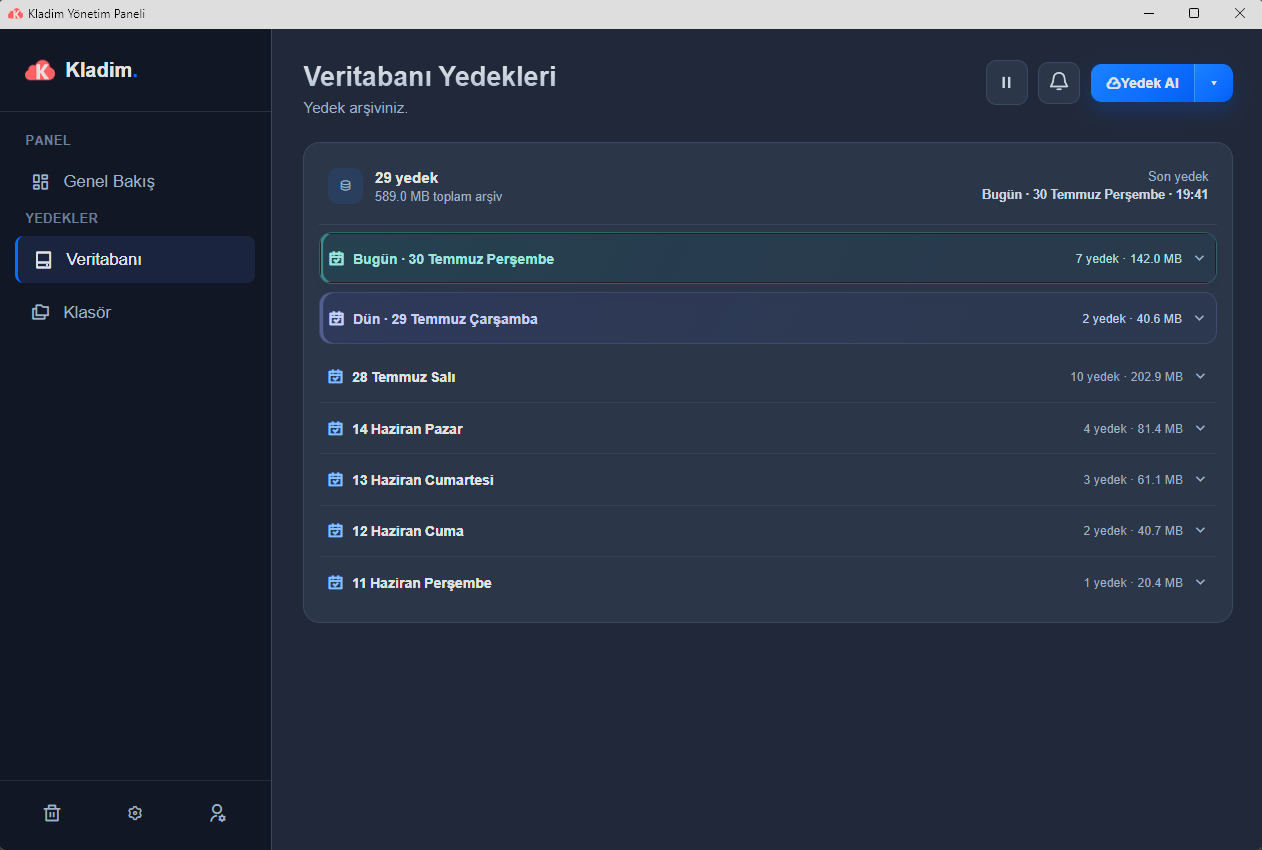
pg_dump custom format provides an archive suited to the PostgreSQL restore workflow.
The backup output passes through the KLD2 encryption and integrity layer before it's sent to the cloud.
Multiple restore points are kept in a history view that makes it easy to choose the date to go back to.
We explain the technical details without hiding them behind marketing language, in the way Kladim actually works.
PostgreSQL backups are prepared in custom format using pg_dump. This output is suited for use with PostgreSQL's restore tools.
Kladim uses a method that passes credentials through the process environment instead of leaving them as a visible command-line argument.
Completed chunks are checked with the server; in a proper resume session, only the missing parts are resent.
Backup history makes completed restore points from different times visible and accessible.
Explore how Kladim protects other data sources in their own technical context.
Turkey's homegrown digital fortressTry the real interface first, then choose the Kladim plan that fits your needs.


